
How to Use AI Chat to Analyse Business Documents and Extract Key Information

Every business runs on documents. Contracts, vendor proposals, project briefs, financial reports, policy manuals, client emails and meeting notes all carry information that someone has to find, understand and act on. The trouble is volume. A single procurement round can produce a dozen proposals of fifty pages each, and the one clause that changes the decision may sit on page forty-one.
This is where AI chat document analysis changes the working day. Instead of reading every page, you upload the files, ask questions in plain language and receive answers drawn from the text itself. A good AI chat assistant for business behaves less like a search box and more like a colleague who has already read everything and can answer follow-up questions on demand.
This guide shows you how to do it properly. You will learn what AI document analysis is, a five-stage workflow that works for most business files, and how to apply it to decision-making, proposal comparison, procurement, project planning, client communication and business planning. We will use Pearl AI Chat from Pearl Organisation as the working example, and we will be honest about where human judgement still matters.
Why Business Documents Slow Decisions Down
Most delays in business are not caused by a lack of information. They are caused by information that exists but cannot be reached quickly. Before looking at the solution, it helps to name the problem precisely.
The Hidden Cost of Reading Everything Manually
Manual document review costs more than the hours on the clock. A manager who spends a morning reading three proposals is not planning, negotiating or talking to clients during that time. Reviewers also tire, and attention drops sharply after the first hour of dense reading. The result is inconsistent reviews: the first proposal gets careful attention, the fifth gets a skim.
There is also a coordination cost. When several people review the same pile, each builds a private summary in their own format. Merging those summaries into one view of the facts takes yet another meeting.
Where Key Information Gets Lost
Key details hide in predictable places. Payment terms sit in appendices. Liability limits appear in a clause titled something unrelated. Delivery dates in a proposal contradict the timeline in the covering email. Vendors format pricing differently so that totals cannot be compared at a glance. Teams that read quickly tend to catch headlines and miss exceptions, and exceptions are usually where the risk lives.
What Is AI Chat Document Analysis?
AI chat document analysis is the practice of uploading business documents to an AI assistant and interrogating them through conversation. You might ask for a summary, a list of obligations, every date mentioned, or a comparison of two documents against a set of criteria. The assistant reads the text, locates the relevant passages and responds in natural language, often with a reference to where it found the answer.
How an AI Chat Assistant for Business Reads a Document
Under the hood, the assistant breaks your document into sections, converts the language into a numerical representation of meaning, and retrieves the sections most relevant to your question. A language model then composes an answer using those passages. Because the answer is anchored to your own files, it is more reliable than asking a general chatbot a question from memory.
The practical consequence is that your question matters. A vague request such as "tell me about this contract" produces a vague answer. A precise request such as "list every termination right, who holds it, and the notice period" produces something you can use.
AI-Powered Document Analysis Tool vs Keyword Search
Keyword search finds the words you type. An AI-powered document analysis tool finds the meaning you intend. Search for "cancel" and you will miss a clause that says "either party may terminate". Ask an AI assistant "how can this agreement be ended?" and it will find both. It can also connect information across sections, for example linking a pricing table on page six to a discount condition on page thirty.
That said, AI analysis does not replace the source document. It is a faster route into it. The strongest workflows use the assistant to find and structure information, then use a person to confirm what matters.
Pearl AI Chat: An AI Assistant for Business Documents
Pearl AI Chat is the conversational AI product from Pearl Organisation, designed for business users who want answers rather than another dashboard to learn. As an AI assistant for business documents, it lets a team bring in the material they already work with and ask questions about it in everyday language. The aim is simple: shorten the distance between a document landing in your inbox and a decision being made about it.
What makes this useful for a working team is the conversational format. You do not need to design a template or learn a query syntax. You ask, read the answer, ask a sharper follow-up, and refine until the information you need is on the screen. The same conversation can start with a summary, move to a risk review and finish with a drafted reply to the client, all without switching tools.
Pearl Organisation builds Pearl AI Chat from the standpoint of a company that has spent years delivering digital transformation work for clients in more than 150 countries. That experience shapes the product philosophy: documents in real businesses are messy, multilingual and varied, and an assistant has to cope with that reality. You can explore Pearl AI Chat and the wider product range on the
Pearl Organisation website. Feature availability can change, so check the current product page before planning a rollout.
How to Analyse Business Documents with AI Chat: A Five-Stage Workflow

A repeatable process is what separates teams that get value from AI chat and teams that abandon it after a week. The five stages below work for contracts, proposals, reports and policies alike. Remember them as Collect, Frame, Extract, Verify, Act.
Stage 1: Collect and Prepare the Documents
Gather every file relevant to a single decision and keep them together. If you are reviewing three vendor proposals, upload all three along with the original request for proposal, so the assistant can judge responses against the brief. Remove files that add noise, such as old drafts, and confirm that scans are readable. A blurry scan produces blurry answers.
Give each file a clear name. When the assistant cites "Vendor B pricing, page 12", you want to recognise it instantly.
Stage 2: Frame the Question
Before typing, decide what you actually need. Are you looking for risks, obligations, costs, dates, or a recommendation? State the role and purpose in your first message. For example: "You are helping a finance manager review a supplier contract. I need payment terms, penalties and renewal conditions." This context steers the answer toward what matters to you.
Stage 3: Extract the Key Information
Start broad, then narrow. A summary gives you the shape of the document. Then ask for structured extraction: a table of dates, a list of deliverables, every monetary figure with its context. Ask for output in a format you can paste straight into a report or spreadsheet.
Ask the assistant to say when information is missing rather than guess. "If the document does not state this, say so" is one of the most valuable sentences you can add to any prompt.
Stage 4: Verify Against the Source
Treat every important extracted fact as a claim to be checked. Ask the assistant to quote the relevant passage and name the page or section, then open the original and confirm. You do not need to verify everything. Verify what drives money, legal exposure or client commitments. This step takes minutes and protects you from the rare but costly misreading.
Stage 5: Turn Findings into Action
Analysis only matters if it changes something. Ask the assistant to convert findings into next steps: a negotiation list, a set of questions for the vendor, a task list for the project team, or a short briefing for leadership. Save the final outputs where your team can find them.
Which Business Documents Work Best?
AI chat handles most text-based business documents well. Results are strongest when the document is long, structured and repetitive in its logic. The table below shows common document types and what to extract from each.
Document type | What to extract | Useful question |
Contracts and agreements | Obligations, termination rights, liability limits, renewal dates | What are our obligations and what happens if we miss them? |
Vendor proposals | Scope, pricing, timelines, assumptions, exclusions | What is excluded from each proposal that we assumed was included? |
Financial reports | Revenue drivers, margin changes, risk notes | What changed most from last quarter and why? |
Project briefs and plans | Milestones, dependencies, owners, deadlines | Which tasks have no owner or no date? |
Policies and compliance documents | Requirements, exceptions, approval paths | Which rules apply to a new supplier in our region? |
Client emails and meeting notes | Requests, decisions, open questions | What did the client ask for that we have not yet answered? |
Be cautious with documents that depend heavily on images, such as engineering drawings or complex charts. Text is where AI chat is strongest, so always check any figure that was read from a graphic.
Key Benefits of Using AI Chat for Business Documents

Teams that adopt AI chat document analysis usually notice the same improvements within the first few weeks. The gains are practical rather than dramatic, and they compound as the habit spreads.
• Speed. First-pass review that once took hours is reduced to minutes, so decisions move at the pace of the business.
• Consistency. The same questions are asked of every document, which reduces the gap between a careful first review and a rushed fifth one.
• Better focus. People spend time on judgement, negotiation and relationships instead of hunting for clauses.
• Shared understanding. A structured summary gives legal, finance and operations one version of the facts to discuss.
• Stronger records. Extracted tables, quotations and rationale notes create an audit trail for later review.
None of these benefits appears automatically. They depend on the workflow above, and in particular on the verification stage. Teams that skip it gain speed but lose trust, and trust is what keeps a tool in daily use.
Using AI Chat for Decision-Making
Good decisions depend on seeing the right facts side by side. AI chat for decision-making helps by assembling those facts from scattered documents and presenting them against criteria you define. It does not make the decision for you, and it should not. What it does is remove the hours spent finding evidence so that you can spend your time weighing it.
A practical approach is to ask for a decision brief. Upload the relevant reports and ask: "Summarise the options, the evidence for and against each, the main risks, and the information we are still missing." The last part is the most useful. Knowing what you do not yet know is often the most valuable output of an analysis.
You can also use the assistant to challenge your own thinking. Ask: "What assumptions in this plan are least supported by the documents?" or "What would a sceptical board member question?" These prompts surface weak points before a meeting rather than during one.
AI Chat for Business Proposal Comparison
Comparing proposals is difficult because no two vendors write them the same way. One bundles support into the headline price, another lists it separately. One promises delivery in twelve weeks counted from signature, another from kick-off. AI chat for business proposal comparison normalises these differences so you can compare like with like.
The method is straightforward. First, define your criteria: price, timeline, scope, team experience, support terms, security and exit conditions. Second, ask the assistant to extract each criterion from each proposal into a single table. Third, ask it to flag anything unclear, missing or inconsistent. Finally, ask for a draft list of clarification questions to send back to each vendor.
Criterion | Vendor A | Vendor B | Vendor C |
Total price | Extracted from pricing section | Extracted, with optional items separated | Extracted, recurring fees flagged |
Delivery timeline | Start point confirmed? | Start point confirmed? | Start point confirmed? |
Support terms | Hours and response times | Hours and response times | Hours and response times |
Exclusions | Listed assumptions | Listed assumptions | Listed assumptions |
Exit conditions | Notice and fees | Notice and fees | Notice and fees |
The table above is a template, not a result: the assistant fills each cell from the documents you upload. Once the grid is complete, differences become obvious. You may find the cheapest vendor excludes the very support you need, which changes the real comparison entirely.
AI Assistant for Procurement Decisions

Procurement carries high stakes and heavy paperwork: requests for proposal, supplier questionnaires, certifications, contracts and compliance statements. An AI assistant for procurement decisions helps teams review this material consistently and document how a choice was reached.
Here is how procurement teams use AI chat in practice:
• Screening responses. Check each supplier response against mandatory requirements and list the gaps.
• Building a scorecard. Ask the assistant to score each response against weighted criteria and explain every score with a quotation from the document.
• Spotting risk language. Locate clauses on liability, price escalation, subcontracting, data handling and termination.
• Preparing negotiation points. Turn the differences between suppliers into a list of concessions to request.
• Recording the rationale. Produce a short audit note explaining why the chosen supplier was selected.
Consistency is the central benefit. When the same questions are put to every supplier, evaluation is fairer and easier to defend. Keep in mind that procurement decisions often carry legal and financial weight, so a qualified person should approve the final choice.
AI Chat for Project Planning
Projects begin with documents: a statement of work, a client brief, a requirements specification, a set of meeting notes. AI chat for project planning turns those inputs into a plan faster and with fewer omissions.
Upload the brief and ask the assistant to list deliverables, dependencies, assumptions and risks. Then ask it to propose a milestone structure and identify tasks that lack an owner. Because it reads everything in one pass, it often catches conflicts that individuals miss, such as a deadline in the brief that contradicts a dependency in the specification.
During delivery, the same approach helps with status work. Paste in weekly notes and ask for open actions, blocked items and decisions that have been deferred twice. Teams that do this regularly stop losing commitments in long email threads.
AI Chat for Client Communication
Clients write long emails, send attachments and change their minds. AI chat for client communication helps you respond accurately and quickly by grounding replies in what was actually said and agreed.
Upload the contract, the latest correspondence and the project plan, then ask: "What has the client asked for that is outside the agreed scope?" or "Summarise what we promised on timelines." With those facts in hand, ask the assistant to draft a reply in a professional, friendly tone and keep your own edit as the last step. Replies become faster, but more importantly they stay consistent with the record.
For international clients, the assistant can also help with translation and tone across languages. Always have a fluent speaker review anything sensitive before it goes out.
AI Chat for Business Planning
Business plans draw on market research, financial forecasts, operational reports and strategy papers. AI chat for business planning helps leaders read across those sources and see where they agree and where they conflict.
A useful exercise is the consistency check. Upload your strategy document and your financial forecast, then ask: "Do the growth assumptions in the strategy match the figures in the forecast?" Disagreements often reveal planning gaps. You can also ask for a summary of competitor reports, a list of risks mentioned across all documents, or a first draft of an executive summary that you then refine.
Treat the output as a starting position for discussion. Planning requires judgement about the future, and the documents can only tell you what was written in the past.
Prompt Patterns That Extract Better Information
Strong prompts share a few traits: a role, a purpose, a precise task and a format. Here are patterns that work across document types.
• Extraction: "List every deadline, who is responsible, and the page where it appears. Present it as a table."
• Risk review: "Identify clauses that expose us to financial or legal risk. Quote each clause and explain the risk in one sentence."
• Comparison: "Compare these three documents on price, timeline and exclusions. Highlight any differences that could change the decision."
• Gap finding: "What information would a careful reader expect to find in this document that is missing?"
• Plain-language summary: "Summarise this document for a non-specialist in under 200 words, then list three questions I should ask."
• Source discipline: "Answer only from the uploaded documents. If the answer is not there, say so."
Save the prompts that work in a shared document. A small prompt library saves effort for the whole team and makes results consistent.
Accuracy, Security and Human Review
AI chat is powerful, but it can make mistakes. It can misread a table, miss a footnote or state something with more confidence than the evidence supports. Responsible use builds in checks.
A simple review checklist
1. Confirm every figure, date and name that feeds a decision against the original.
2. Ask for quotations and page references, then open the source.
3. Re-ask important questions in a different way and compare the answers.
4. Have a subject expert approve anything legal, financial or regulatory.
5. Record who reviewed the output and when.
Protecting sensitive documents
Business documents often contain confidential pricing, personal data and contractual terms. Before uploading, understand how your chosen tool stores and processes files, who can access them, and whether your contracts or local regulations restrict where data may go. Limit uploads to what is needed and set clear internal rules about which document classes may be used. If you operate in several countries, check the data rules in each one.
Common Mistakes to Avoid
• Asking vague questions. Precision in produces precision out.
• Trusting without checking. Verify the facts that carry risk.
• Uploading everything. Irrelevant files dilute answers.
• Skipping the follow-up. The first answer is a draft. Ask again, narrower.
• Treating AI as the decision-maker. The assistant informs the decision; people own it.
• Having no team standard. Without shared prompts and review rules, quality varies from person to person.
Working with Documents Across Regions and Languages
Global businesses rarely work from one tidy set of files. A supplier in one market may send a proposal in English with local tax terms, while a partner elsewhere sends a bilingual tender with regional compliance annexes. Date formats, currency symbols, legal terminology and even the order of sections vary from country to country.
An AI chat assistant for business helps by reading across those differences, but you can improve results with a few habits. State the jurisdiction and currency in your first prompt. Ask the assistant to convert dates and amounts into the format you use internally, and to flag anything it had to interpret. When a document is in a language your reviewers do not read, request a summary in your working language along with the original wording of key clauses, so a speaker of that language can confirm the meaning.
Regional rules also affect what you may upload and where the data may be processed. Build that check into your intake step, not your clean-up step. This is an area where experience matters, and it is one reason many companies bring in a technology partner rather than configuring everything alone.
How Pearl Organisation Helps Businesses Work with Documents and AI
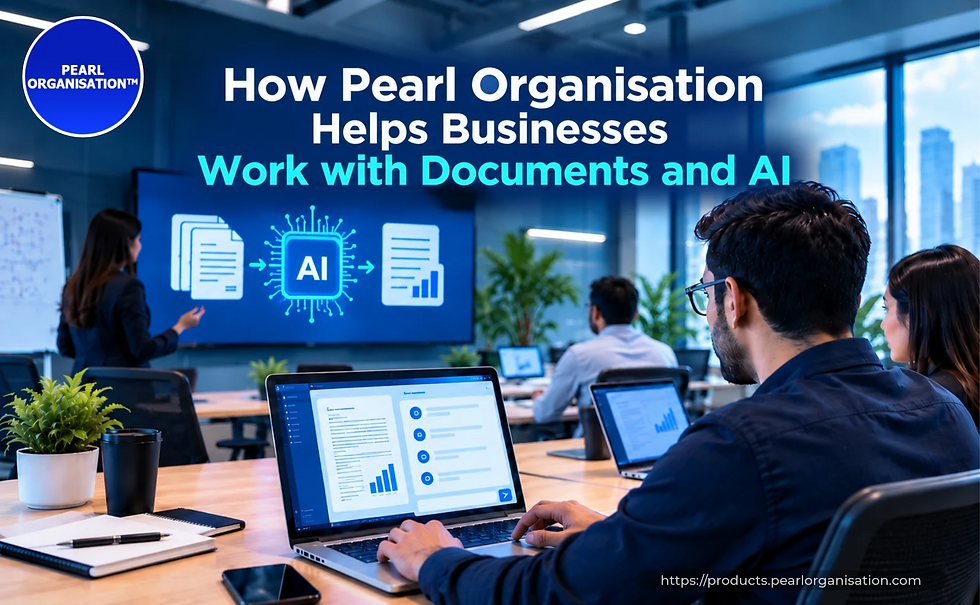
Pearl Organisation was founded in 2017 with a simple belief: technology should make business work easier, not add another layer of complexity. Since then the company has grown into a global IT and digital business transformation partner, supporting organisations across more than 150 countries and delivering thousands of projects across many industries.
That breadth matters when the subject is documents. A procurement team in one country may work from English contracts, while its counterpart elsewhere handles bilingual tenders and local compliance forms. Pearl Organisation has seen these differences first-hand, and it designs its AI services with them in mind. Pearl AI Chat sits within a wider portfolio that also covers AI integration, process automation, application development and data work, so the conversation you start in a chat window can connect to the systems that run your business.
For some teams the right first step is simply trying the assistant on a live document. For others it is a conversation about connecting document analysis to existing workflows, approvals and records. Pearl Organisation offers a free initial consultation, so you can talk through where AI chat will save the most time before you commit to anything.
Frequently Asked Questions About AI Chat Document Analysis for Businesses
What is AI chat document analysis? It is the use of a conversational AI assistant to read uploaded business documents and answer questions about them. You can request summaries, extract specific data, compare files and identify risks, all in plain language.
Can an AI chat assistant for business replace manual review? It can replace the slow first pass, not the final judgement. Use the assistant to find and organise information quickly, then have a person verify what matters, especially anything legal or financial.
How accurate is an AI-powered document analysis tool? Accuracy depends on the quality of the document, the clarity of your question and the tool itself. Requesting quotations and page references makes errors easier to catch. Always verify high-stakes details.
Is it safe to upload confidential business documents? It depends on how the tool handles data. Review its storage, access and retention practices, follow your internal policy and local regulations, and upload only what the task requires.
How does Pearl AI Chat help with proposal comparison and procurement? You can upload several proposals or supplier responses, define your criteria and ask for a side-by-side comparison with flagged gaps and clarification questions. That gives teams a consistent basis for discussion, and it helps record the reasoning behind a choice.
What types of documents should I start with? Start with long, text-heavy files where you already know what a good answer looks like, such as a contract you have reviewed before. That lets you test the assistant against a known result and build confidence.
Conclusion
Business documents are not going away, and neither is the pressure to decide quickly. AI chat document analysis gives teams a practical way to keep up: upload the files, ask precise questions, verify what matters and act. The five-stage workflow of Collect, Frame, Extract, Verify and Act turns a casual experiment into a dependable habit.
Whether you are comparing proposals, supporting procurement decisions, planning a project, replying to a client or shaping next year's plan, a well-used AI assistant for business documents returns hours to your week and clarity to your decisions. Try Pearl AI Chat on a document you know well, build your prompt library from there, and let Pearl Organisation help you scale what works.
Ready to get started? Visit pearlorganisation.com to explore Pearl AI Chat or book a free consultation.




 150+
150+
 250+
250+
 21,000+
 11,600+